
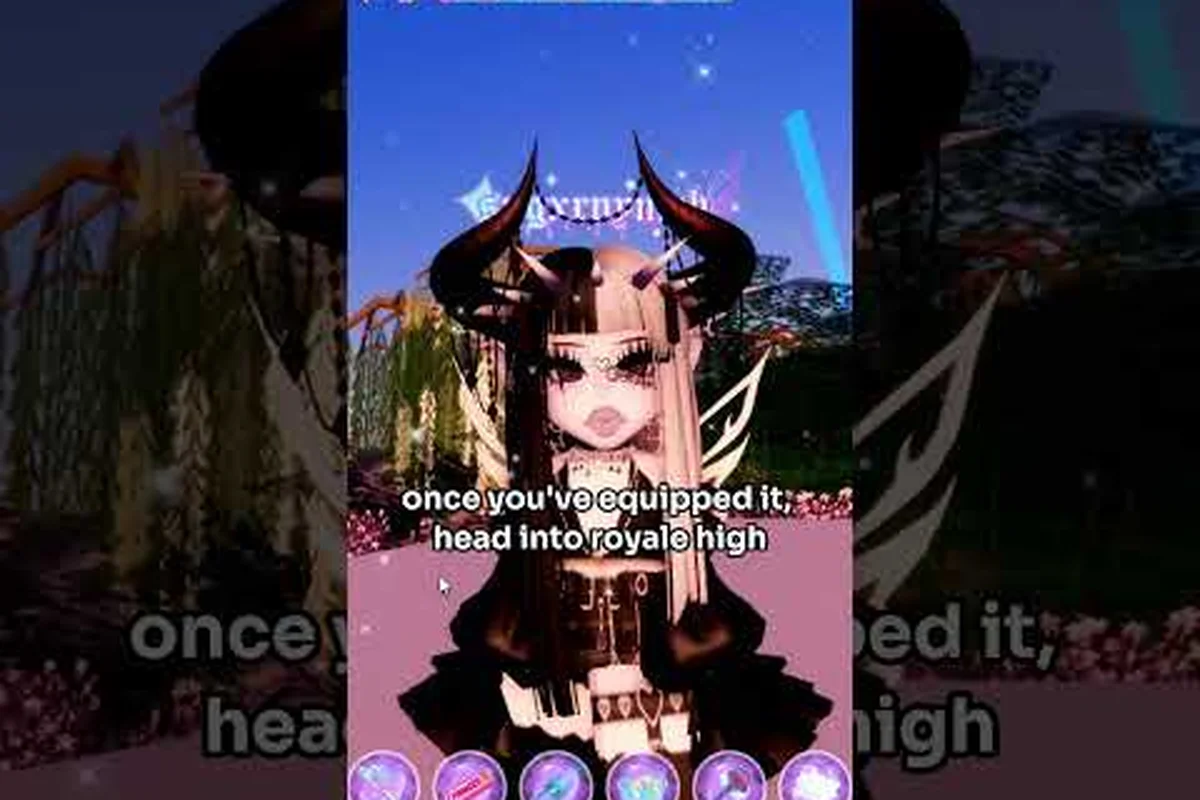
A polished Royale High avatar customization routine transforms a generic character into a signature look that wins Sunset Island votes and draws compliments in the trading hub. The character creator offers deep control over hair, skin, body shape, and facial features, but most players only scratch the surface of what is possible. This guide breaks down every major customization layer with concrete combinations, community-tested picks, and practical styling logic so you can build a cohesive avatar without wasting diamonds on mismatched parts.
Understanding the Royale High Character Creator Workflow
The Royale High character creator is not a single screen but a layered system that pulls from your inventory, the shop, and seasonal event rewards. When you open the dress-up menu, you are working with categories that include hairstyles, hair colors, skin tones, body shapes, makeup, eyes, eyebrows, outfits, and accessories. Each category has its own navigation logic, and understanding how these layers interact is the first step toward a clean final look.
Core Customization Categories and Their Impact
The avatar system breaks down into distinct visual layers that stack on top of each other. Hair and face sit at the top of the visual hierarchy because they frame the entire character, while body shape and skin tone create the silhouette that players notice from across the map. Accessories like crowns, parasols, wings, and auras add personality but can also clutter a look if they do not match the core palette.
| Customization Layer | Primary Visual Impact | Diamond Cost Range | Reset Difficulty |
|---|---|---|---|
| Hair Color | High — frames face | 1,500–8,000 | Low |
| Skin Tone | Medium — sets base palette | Free–2,000 | Low |
| Body Shape | High — changes silhouette | Free–5,000 | Medium |
| Face / Makeup | Very High — focal point | 2,000–12,000 | Medium |
| Accessories | Medium — adds theme | 500–50,000 | Low |
The table above reflects community-reported price ranges as of 2026, and exact values may shift with seasonal sales or new shop rotations. Players who plan their avatar around a single color anchor tend to produce more cohesive results than those who buy items individually without a reference palette.
Planning Before Spending Diamonds
The most expensive mistake in Royale High avatar customization is buying a hair color, face, or body shape that looks good in the preview but clashes with everything else you own. A practical workflow starts with a reference image or a two-color palette, then moves through the customization layers in a specific order: body shape first, skin tone second, hair third, and face last. This order works because each layer constrains the next one, and reversing it often forces you to redo earlier choices.
Community wiki pages document the full range of customization options, and checking those references before spending diamonds can save thousands of currency. The Royale High Wiki customization section is a useful planning resource because it lists current options without requiring you to load into the game and manually browse every shop category.
Royale High Hair Colors and Styling Combinations
Hair color is the single most visible customization choice in Royale High, and the game offers far more than basic blonde, brown, and black. The hair color menu includes gradient options, fantasy shades, and multi-tone presets that can completely change how a face reads. Understanding which hair colors pair well with specific skin tones and outfit themes is the difference between a look that feels intentional and one that feels random.
Popular Hair Color Families and When to Use Them
Royale High hair colors fall into several broad families, and each family has a distinct role in avatar styling. Natural tones work best for school-appropriate or casual looks, while fantasy shades like pastel pink, mint, and lavender excel in pageant themes and seasonal events. Dark jewel tones such as deep burgundy and midnight blue create a dramatic frame for lighter skin tones, while warm honey and caramel shades flatter deeper skin tones.
| Hair Color Family | Best Pairing | Recommended Theme | Community Popularity |
|---|---|---|---|
| Natural Blonde / Brown | Any skin tone | Campus, casual | Very High |
| Pastel Pink / Lavender | Light to medium skin | Fantasy, spring | High |
| Deep Burgundy / Wine | Light skin | Formal, gothic | Medium |
| Warm Honey / Caramel | Medium to deep skin | Autumn, cozy | High |
| Mint / Teal | Medium skin | Mermaid, ocean | Medium |
The community popularity column reflects general player reports rather than official statistics, and trends shift with each seasonal update. A hair color that dominates Sunset Island one month can feel overused the next, so rotating between two or three signature shades keeps your avatar feeling fresh.
Gradient and Multi-Tone Hair Techniques
One of the most underused features in the character creator is the gradient system, which lets you blend two hair colors for a custom ombre effect. A dark root with a lighter tip creates depth and makes the hair look more dimensional, while a fantasy-to-natural gradient can tie together an outfit that mixes themed and everyday pieces. The key is keeping the gradient within the same color temperature — warm roots with warm tips, cool roots with cool tips — unless you are deliberately going for a high-contrast statement.
Players who want to refine their overall look beyond hair can apply the same palette logic to outfit planning, and the mermaid outfit guide demonstrates how a single color anchor can unify an entire themed set. The same principle applies to hair: pick one anchor shade, then let every other customization layer reference it.
Royale High Skin Tones and Body Shapes
Skin tone and body shape work together to create the base silhouette of your avatar, and they are the two choices that are hardest to change cleanly after you have built an outfit around them. Royale High offers a wide range of skin tones that span natural human shades as well as fantasy options like pale porcelain, warm tan, and deep ebony. Body shapes have expanded significantly in recent updates, giving players control over proportions that were previously fixed.
Matching Skin Tone to Outfit Palette
The right skin tone choice depends on the color palette you plan to wear most often. Light skin tones create high contrast with dark clothing and hair, which makes them ideal for gothic or formal looks. Medium skin tones are the most versatile because they sit in the middle of the contrast range and pair well with both pastels and jewel tones. Deep skin tones create a stunning base for gold accessories, bright whites, and saturated colors that would wash out lighter complexions.
| Skin Tone Category | Contrast Profile | Best Clothing Colors | Common Theme Use |
|---|---|---|---|
| Pale Porcelain | Very High | Black, burgundy, navy | Gothic, winter |
| Light Neutral | High | Pastels, soft neutrals | Campus, spring |
| Medium Warm | Balanced | Teal, coral, olive | Everyday, autumn |
| Deep Warm | High | Gold, white, jewel tones | Formal, royal |
| Fantasy Tones | Variable | Matching fantasy shades | Event, pageant |
The table is based on community styling reports rather than official guidance, and individual results vary depending on lighting and outfit complexity. For example, a Medium Warm skin tone can read noticeably warmer under the dim, candlelit lobby lighting of the Gothic dorm versus the bright, cool-toned Sunset Island pageant stage, so a tone that flatters your avatar in the character creator may shift once accessories, halos, and layered skirts add visual noise. Testing a skin tone with your most-worn outfit before committing is always the safest approach.
Body Shape Options and Silhouette Strategy
Body shape in Royale High controls the overall proportions of your avatar, and the current system offers more variety than the original binary options. Taller and slimmer shapes read as elegant and formal, while shorter and rounder shapes feel approachable and cute. The body shape you choose also affects how clothing items drape, which means some outfits look dramatically different on different proportions.
Because body shape changes are harder to reverse cleanly than hair or face swaps, it is worth testing a new shape with several outfit categories before settling on it. Community video guides, such as the body tutorial by officiallydisco, walk through the current body shape options and explain how each one interacts with popular clothing sets. Watching a visual demonstration is often faster than trial-and-error in the dress-up menu.
Royale High Face Guide and Makeup Layering
The face is the focal point of any Royale High avatar, and the face guide options in the character creator are more detailed than many players realize. Beyond the base face shape, you can customize eyes, eyebrows, makeup, and expression presets that change how your avatar reads in close-up screenshots and Sunset Island judging. A well-chosen face can elevate an otherwise simple outfit, while a mismatched face can undermine an expensive one.
Choosing a Base Face That Matches Your Style
The base face sets the overall expression and structure of your avatar, and Royale High offers options that range from soft and innocent to sharp and dramatic. Soft faces with rounded features work well for cute, pastel, and school-themed looks, while sharper faces with defined cheekbones suit formal, gothic, and high-fashion styling. The face you choose should match the emotional tone of your most common outfit themes.
| Face Style | Expression Profile | Best Outfit Themes | Screenshot Impact |
|---|---|---|---|
| Soft Round | Friendly, approachable | Campus, casual, cute | Medium |
| Neutral Oval | Calm, versatile | Everyday, formal | High |
| Sharp Angular | Dramatic, intense | Gothic, high fashion | Very High |
| Playful Wide | Energetic, fun | Event, party | Medium |
| Serene Narrow | Elegant, mysterious | Royal, fantasy | High |
The Screenshot Impact column reflects how strongly the face reads in close-up photos, which matters for players who build portfolios or compete in pageants where facial expression is part of the judging criteria. Sharp Angular faces carry a "Very High" rating because their defined cheekbones and narrowed eye shapes hold contrast even when the camera pulls back to capture a full-body pose, while Soft Round faces tend to flatten into a generic smile at that distance. If you enter Sunset Island pageants regularly, test your chosen face in the dressing room's zoomed camera mode before committing diamonds to a makeup look — a Neutral Oval face with subtle eyeliner will photograph far more cleanly than a Playful Wide face with heavy lashes that blur into the eye sockets when the screenshot is compressed.
Eyes, Eyebrows, and Makeup Coordination
Eyes and eyebrows are the most expressive parts of the face, and coordinating them with your makeup choices creates a polished result. Large, bright eyes pair naturally with minimal makeup and pastel color schemes, while narrower eyes support bolder eyeliner and darker lip colors. Eyebrow shape should follow the same logic: soft, rounded brows for cute looks, straighter or angled brows for dramatic ones.
Makeup in Royale High includes eyeshadow, eyeliner, blush, and lip color, and each layer can be toggled independently. The most common beginner mistake is applying every makeup layer at full intensity, which creates a heavy, overdone look. Starting with two layers — eyeshadow and lip color — and adding eyeliner or blush only if the face still feels incomplete produces a cleaner result. Players who want to refine their face and outfit pairing can reference the avatar creation guide for a broader walkthrough of the character setup process.
Building a Cohesive Avatar with Accessories and Animations
Accessories and animations are the finishing layers of Royale High avatar customization, and they are where personality really comes through. Crowns, parasols, wings, auras, and walk or idle animations all contribute to how your avatar feels in motion, not just in static screenshots. The challenge is choosing accessories that reinforce your core theme without overwhelming the base look.
Accessory Selection Logic
The best accessory setups follow a simple rule: one statement piece, two supporting pieces, and nothing else. A statement piece might be a large crown, a dramatic pair of wings, or an ornate parasol. Supporting pieces are smaller items like earrings, a necklace, or a subtle aura that echo the statement piece without competing with it. Loading up on every accessory slot creates visual noise that makes even expensive items look cheap.
| Accessory Role | Example Items | Visual Weight | Recommended Count |
|---|---|---|---|
| Statement | Crown, large wings, ornate parasol | Very High | 1 |
| Supporting | Earrings, necklace, small aura | Medium | 2 |
| Filler | Bracelets, small pins, subtle glow | Low | 0–2 |
| Avoid | Multiple large items, clashing auras | Overload | 0 |
The table reflects general styling principles reported by experienced players, and individual taste always overrides rigid rules. For example, a player running a dark academia outfit might pair a single statement piece like the Goddess Aphrodite Valkyrie Wings with two supporting items such as the Divine Diamond Heart Earrings and a muted Whimsy Witch Hat aura, skipping filler entirely to keep the silhouette clean. Conversely, a pastel cottagecore avatar can absorb one or two low-weight fillers — a Lucky Bow Pin or Baby's Breath Necklace — without breaking the one-statement, two-supporting balance. The real test is how the avatar reads at the default camera distance in Sunset Island or the Trading Hub: if accessories blur into a single unreadable mass, the count is too high regardless of item rarity. If a look feels right to you, it is right.
Walk Animations, Idle Poses, and Photo Mode
Walk and idle animations change how your avatar moves through the world, and they are especially visible during Sunset Island pageants where judges watch contestants walk the runway. A graceful walk animation pairs well with formal and royal themes, while a bouncy or playful idle suits cute and casual looks. Photo mode lets you capture your avatar in controlled poses, which is essential for building a portfolio or sharing looks with friends.
The customization rework that players have been discussing in community spaces suggests that animation options may expand further in future updates. A prediction video by LandG Games outlines what the community expects from the character customization rework, and while predictions are not guarantees, they offer a useful preview of where the system might be heading.
Frequently Asked Questions
What is the fastest way to improve my Royale High avatar customization?
Start with a two-color palette and apply it across hair, skin, and outfit choices before buying anything new. A cohesive palette makes even budget items look intentional, while expensive pieces in clashing colors still look mismatched. Focus on hair and face first because they frame the entire avatar.
How do I choose the right Royale High hair colors for my skin tone?
Match the color temperature of your hair to your skin tone. Warm skin tones pair best with honey, caramel, and warm brown shades, while cool skin tones support ash blonde, platinum, and cool pastels. Deep skin tones can carry saturated jewel tones like burgundy and emerald beautifully.
Can I change my Royale High body shapes after creating my avatar?
Yes, body shape can be changed through the dress-up menu, but some clothing items fit differently on different proportions. Test a new body shape with several outfit categories before committing, because certain dresses and accessories may clip or drape unexpectedly on shapes they were not designed for.
What should I prioritize in the Royale High face guide for pageants?
Prioritize a face that reads clearly from a distance, because Sunset Island judges often see contestants from across the stage. Sharp or expressive faces with defined features photograph better than very soft faces, and a subtle makeup combination of eyeshadow and lip color adds polish without looking heavy.
How many accessories should I use in Royale High avatar customization?
Stick to one statement piece and two supporting pieces for a clean look. A single crown, pair of wings, or ornate parasol creates a focal point, while smaller items like earrings or a subtle aura add depth. Overloading every accessory slot creates visual clutter that makes the avatar feel busy rather than stylish.